
ezyNet Smart Menu
Keep your category navigation organised automatically.
Release candidate Version 1.0.0
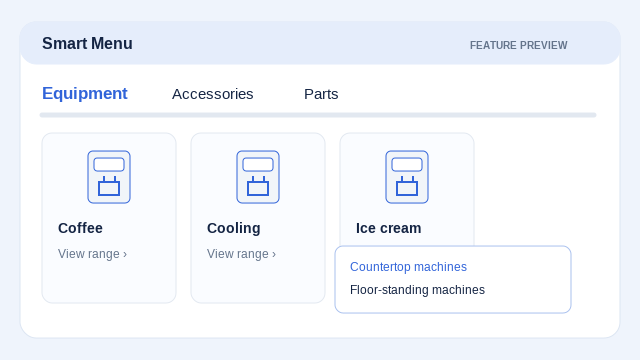
What it does
Capabilities
- Image dropdowns with nested flyout subcategories and tap-to-expand controls on smaller screens.
- Automatically includes new enabled categories assigned to the store, using catalogue order by default.
- Override labels and order, hide individual categories, and control automatic additions globally or per parent.
- Choose colours, image columns, category depth and menu heading.
- Restore previous settings, export settings, or disable the extension to return to the original menu.
Version & theme compatibility
- OpenCart
- OpenCart 4.1.0.4
- Theme
- Default storefront theme
- Package
- Native OpenCart Installer package
- Release status
- Release candidate · Not published or approved on OpenCart Marketplace
Scope and limitations
Other OpenCart releases and custom menu replacements require separate testing. Label overrides apply across languages. Image fallbacks use product images when category images are missing.
Installation & download
Keep an off-server backup of your files and database, and try the extension on a staging copy first. Check the compatibility above before downloading.
- Download the ZIP below and keep its filename unchanged.
- Open Extensions → Installer in OpenCart admin, upload the ZIP and install the package.
- Open Extensions → Extensions → Modules, install the module and review its settings.
- Read the included documentation for extension-specific steps and permissions.
SHA-256 checksums · Native OpenCart Installer package